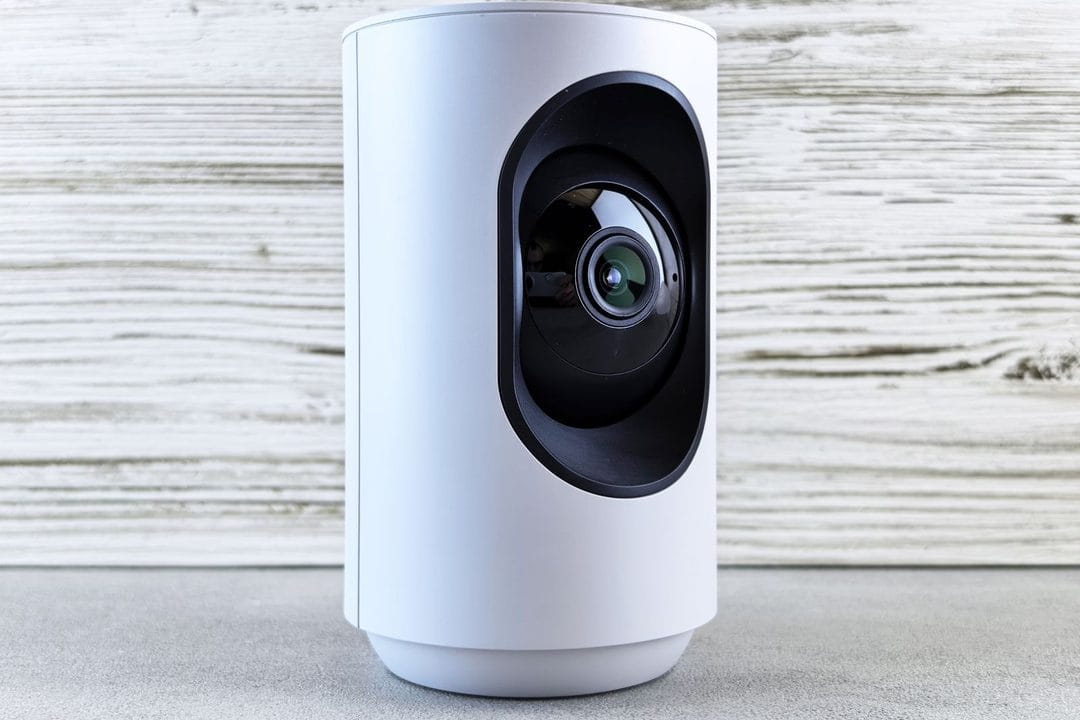
Somewhere around the third Ring renewal notice, most people start doing the math. Forty to sixty dollars a year, camera after camera, forever, just to see a clip of the delivery driver who already left. The cameras themselves keep getting cheaper. The subscriptions do not. And in 2026, with more manufacturers finally shipping decent local-storage options, the question isn't whether you can skip the monthly fee — it's whether skipping it actually costs you something you'll miss.
Why the subscription became the default
Ring and Nest didn't design their systems around monthly fees by accident. Cloud storage is expensive to run at scale, sure, but the bigger reason is that a $60 camera with $0 recurring revenue attached is a bad business, while the same camera with an $8-a-month plan attached is a very good one. So the hardware got subsidized and the software got gated: motion alerts without a clip, a live view but no history past an hour, "smart" detection that can't tell a person from a raccoon unless you're on the Plus tier. Amazon and Google both learned this from the printer-ink playbook, and it worked — Ring alone reportedly has millions of Protect subscribers paying month after month for a feature set that used to just be "how a camera works."
None of that makes the cameras bad. It makes the default expensive in a way that's easy to miss at checkout, because the sticker price is for the hardware and the real cost shows up eighteen months later as a line item you forgot you agreed to.
What “local storage” actually means
Skip the subscription and the camera has to put its footage somewhere else — usually a microSD card in the camera itself, a small hub on your network, or a local network video recorder (NVR) with its own hard drive. That's the whole trick. There's no cloud server in the loop, so there's no recurring fee for keeping your video, and in most cases no company reviewing or retaining a copy of what your camera sees.
It comes with real tradeoffs, though, and buying guides that skip past them are doing you a disservice. If your power goes out or your router dies, a cloud camera keeps recording (assuming its own battery holds) and you can still pull clips from your phone on cellular data; a local camera with no separate connection just stops, and you won't know what happened until the power's back. Storage is finite — a 128GB microSD card on a busy driveway camera might hold five to ten days of motion events before it starts overwriting itself, versus the 60-plus days most cloud plans promise. And if someone actually steals the camera or the hub sitting in your hallway closet, the footage of them doing it usually goes with it, unless you've deliberately routed a copy somewhere off-site.
None of these are dealbreakers for most households. They're just the fine print that subscription marketing conveniently leaves off the box.
Three approaches that actually work
HomeKit Secure Video, if you're already on Apple's ecosystem
HomeKit Secure Video doesn't have its own monthly fee — it rides on whatever iCloud+ storage tier you're already paying for. The catch is that the free 50GB tier doesn't include camera support at all; you need the 200GB plan ($2.99/month) to cover one HomeKit camera, or 2TB ($9.99/month) to cover an unlimited number. So it's not free in the strict sense, but for the huge number of households already paying for iCloud+ to back up photos and device backups, adding camera coverage costs nothing extra — you just need to be on the right tier already. Cameras that support it, like the Aqara Camera Hub G3 (around $80) or Eufy's HomeKit-compatible models, encrypt video end-to-end and process activity detection on-device rather than shipping raw footage to a server for analysis. Ten days of rolling event history is standard, and it doesn't count against your iCloud photo storage.
Local microSD cameras with a free app — Eufy and Reolink lead here
This is the most popular route for a reason: buy the camera once, drop in a microSD card, and the manufacturer's free app gives you live view, motion clips, and history with no account upsell blocking basic features. Eufy's indoor and outdoor lines (the SoloCam and eufyCam series, typically $100–$180) store locally on the camera or a bundled HomeBase hub with 16GB built in, expandable via microSD. Reolink's Argus and Lumus lines run $70–$150 and take microSD cards up to 256GB directly in the camera body — a 256GB card runs about $25 and, on a moderately active porch, lasts a couple of months before the oldest clips get overwritten. Both companies do sell optional cloud add-ons, but the local tier is genuinely full-featured, not a crippled trial.
A dedicated local NVR system for whole-house coverage
For four or more cameras, a small PoE (Power over Ethernet) NVR kit stops looking like overkill and starts looking like the cheaper option. Reolink and Annke both sell kits — four wired cameras, a recorder with a built-in 1TB or 2TB drive, and the cabling — for roughly $300–$450, wired directly into a switch so there's no Wi-Fi congestion and no camera that can be jammed by killing the network. A 2TB drive on four cameras set to record only on motion typically holds two to three months of footage before it loops. It's more setup than sticking a camera to a doorframe — you're running cable, at minimum, and probably mounting a small box in a closet — but for someone who wants years of ownership without a per-camera monthly fee stacking up, it pays for itself fast.
What you're actually giving up
The AI detection that tells you "package" instead of just "motion" is where most of these systems draw the subscription line, and it's worth being honest about that before you buy. Ring's free tier gives you motion alerts and a live look; person, vehicle, and package recognition are locked behind Ring Protect. Nest is similar — familiar-face recognition and package alerts need Nest Aware. Eufy and Reolink do more processing on-device without a subscription wall, which is a genuine selling point, but their AI still isn't as sharp as Nest's cloud-processed detection at telling a person from a large dog at dusk. If you specifically want package-theft alerts that are reliably accurate, that's the one place where paying for cloud processing still buys you something real — not just storage, but a better trained model looking at your footage.
A buying framework for 2026
Start with how many cameras you actually need, because that number decides which of the three approaches makes sense. One or two cameras on a place you already check obsessively — a front door, a package zone — is exactly what a $130 Eufy or Reolink camera with a microSD card handles well, and you'll have it paid off against a subscription within the first year. Already deep into Apple's ecosystem with an iCloud+ plan you're not using to its full storage anyway? HomeKit Secure Video is close to free for you specifically, even though it technically isn't. And if you're covering a whole property — driveway, backyard, side gate, garage — the NVR kit is the one that actually saves money over three or four years, once you account for what four separate subscriptions would have cost.
Skip the local-storage models entirely if you travel a lot and depend on checking footage from spotty hotel Wi-Fi or cellular data during an outage back home — that's the one scenario where cloud redundancy earns its fee. For everyone else parked at home most nights with a decent router, local storage is not the compromise the camera companies want you to think it is. It's just a camera doing what a camera used to do, before someone figured out how to charge for it every month.