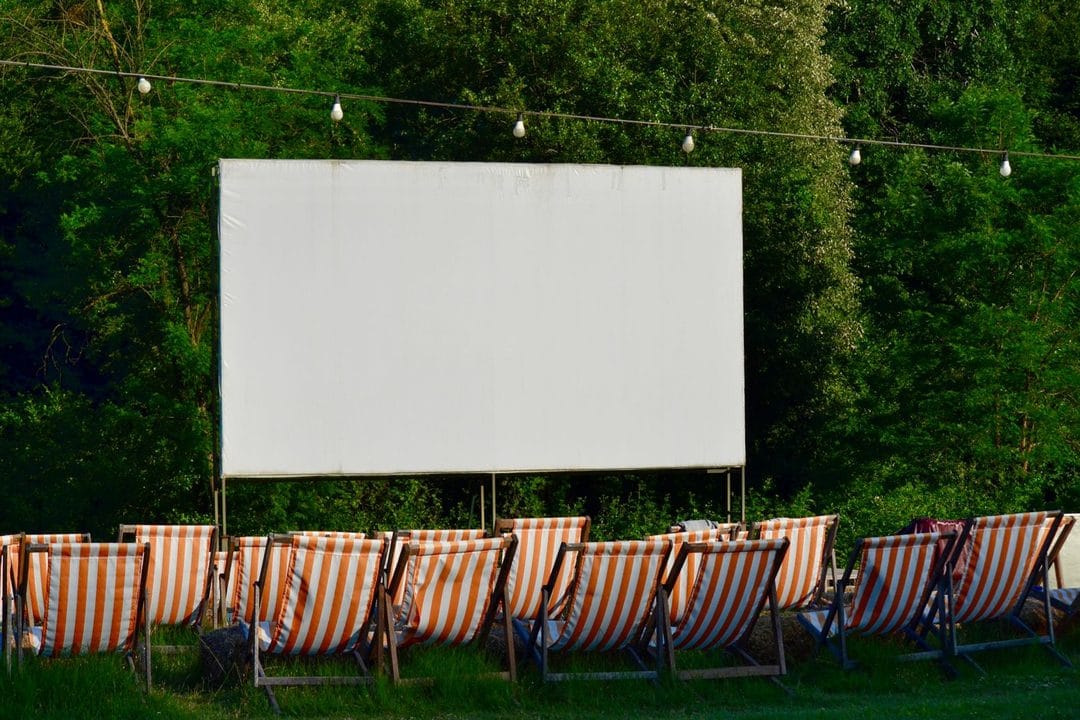
Every July, the same thing happens on my street: someone hangs a bedsheet between two trees, drags out a folding chair, and suddenly the whole block wants in. Portable projectors have quietly become one of the most-searched gadget categories of the summer, and Amazon's own trending pages back that up — outdoor and mini projectors have sat in the top movers-and-shakers list for weeks. But most of what people buy ends up disappointing them, and it's rarely because the projector is broken. It's because nobody told them that the spec sheet lies in ways that matter a lot more outdoors than indoors.
Lumens are the number that actually decides whether this works
Indoors, in a dark room, almost any projector looks fine. Outdoors, even after sunset, there's ambient light bouncing off porch lamps, neighboring windows, and the sky itself well into what feels like full darkness. That's why a projector rated at 300 ANSI lumens — genuinely bright enough for a dim living room — turns into a washed-out gray rectangle the moment you take it outside. Look for at least 500 true ANSI lumens for a backyard setup, and treat anything below that as a bedroom-only device no matter what the box claims.
Here's the part that trips people up: "ANSI lumens" and "LED lumens" are not the same measurement, and manufacturers know most shoppers can't tell the difference. A projector advertised at "8000 lumens" for $130 is almost never using the ANSI standard — that number is inflated, sometimes by a factor of ten, using a measurement method with no industry oversight. The Anker Nebula Capsule 3 Laser, for instance, is rated at 300 ANSI lumens and Anker states that number plainly, which is honestly rare in this price bracket. If a listing won't say "ANSI" anywhere in the specs, assume the real brightness is a fraction of what's printed and shop accordingly.
Screen versus wall: this decision saves or wastes your first weekend with the thing
A flat white bedsheet pulled taut works better than most people expect, and it costs about $12 if you don't already own one. A painted exterior wall, even a white one, has texture that scatters light and softens the image — you'll notice it most in dark scenes, where shadows look muddy instead of black. If you're going to use this projector more than three or four times this summer, an actual inflatable or frame projector screen in the $60–$150 range is worth it; the difference in contrast is immediately obvious side by side.
One thing nobody mentions until you've already bought the wrong screen: gain matters as much as material. A screen with a gain rating around 1.0 reflects light evenly in all directions, which is what you want for a wide backyard seating area where kids are sprawled on blankets at odd angles. Higher-gain screens throw a brighter, punchier image but only within a narrower viewing cone — great for a single row of lawn chairs facing dead-on, frustrating for anyone off to the side.
Resolution on the box rarely matches resolution on the screen
This is where a lot of budget projectors quietly cut corners. A projector can accept a 1080p or even 4K input signal from your streaming stick while its actual imaging chip — the DLP or LCD panel doing the projecting — only has a native resolution of 854x480 or 1280x720. The image gets downscaled to fit, and detail gets lost in the process, especially on text-heavy menus or fine patterns like a plaid shirt on screen. Manufacturers list the "supported resolution" prominently and bury the native resolution in a spec table three screens deep.
For a backyard screen typically 80–100 inches wide, native 720p is genuinely watchable at the viewing distances most families sit at — usually 10 to 15 feet back. Native 1080p, like you'll find on the XGIMI Halo+ or the Anker Nebula Cosmos, looks noticeably sharper and is worth the jump if your budget allows it. Skip anything advertising native 4K under $500; at that price the panel almost certainly isn't real 4K, and you're paying for a marketing claim rather than a manufacturing cost.
Battery power changes where and how you'll actually use this
A plug-in projector needs an outlet within extension-cord range, which sounds minor until you're trying to reach the far corner of a yard or set up on a rooftop deck. Battery-powered portable models — the Anker Nebula Capsule series and the smaller Kodak Luma line are the ones people actually buy — solve that problem but trade away runtime and brightness. Most battery units run two to three hours on a charge at full brightness, which covers a single movie but not much more, and dimming the picture to stretch battery life defeats the point of buying a bright projector in the first place.
My honest take: buy battery-powered only if you genuinely need to move locations — camping trips, a friend's yard without accessible outlets, a rooftop with no wiring. If your movie nights happen in the same backyard every time and there's an outdoor outlet or a long extension cord within reach, a plug-in model gives you more brightness and a lower price for the same money. Don't pay the battery tax for portability you won't use.
The speaker built into a $150 projector is not going to cut it
Manufacturers spend their engineering budget on the lens and the bulb, not on acoustics, so even projectors that sound "fine" in a quiet showroom get swallowed by the outdoors — wind, distant traffic, a neighbor's air conditioner. Almost every current model, from the $110 budget units up through the $800 short-throw projectors, supports Bluetooth output to an external speaker, and this is genuinely one of the easiest upgrades available. Pairing a $40 JBL Clip or Anker Soundcore Mini transforms the experience more than spending another $100 on the projector itself would.
There's a real trade-off worth naming here: Bluetooth audio over projectors typically runs 100–300 milliseconds behind the video, which is small enough to ignore for most content but noticeable during dialogue-heavy scenes if you're paying attention. A handful of newer projectors, including some Anker Nebula models, offer a wired 3.5mm or optical output specifically to dodge this lag — if lip-sync bothers you, check for that port before assuming Bluetooth will be seamless.
Keystone correction and autofocus decide how fast setup actually goes
Manual keystone correction means physically adjusting the projector's angle or turning a dial until the image stops looking like a trapezoid — doable, but it eats five to ten minutes every single time you set up on uneven ground. Auto keystone correction, now standard on most projectors above $200, uses a sensor to square the image automatically within seconds. Autofocus does the same job for sharpness, and the difference between fumbling with a manual focus ring in fading daylight and having the projector nail it instantly is the difference between a fun fifteen-minute setup and an annoyed one.
If you're buying for a family that wants "point it at the sheet and press play," pay the extra $50–$80 for auto keystone and autofocus. If you're comfortable tinkering and setup time doesn't bother you, manual controls save real money and work identically once dialed in.
What to actually buy at each price point
Under $150, you're buying a projector for occasional casual use, not a home theater replacement — the Kodak Luma 350 and similar units deliver a genuinely fun backyard experience once you accept the brightness ceiling and pair an external speaker from day one. In the $300–$500 range, the XGIMI Halo+ and Anker Nebula Cosmos both deliver native 1080p, real ANSI-rated brightness around 700–900 lumens, and auto keystone as standard — this tier is where most families land and where the value is genuinely strongest.
Above $800, you're in short-throw projector territory — units that can throw a large, bright image from just inches away from the screen rather than the 10–15 feet a standard projector needs. That distance flexibility matters if your patio is tight, but for a genuine open backyard, the extra cost buys convenience more than picture quality you'd notice from the lawn chairs.
Set the screen up before dinner, not after — you'll want daylight to square the image and route the extension cord, and rushing that step in the dark is how projectors end up angled crooked for the whole movie. Once the sun's actually down and the picture's dialed in, the difference between a $130 unit and an $800 one gets a lot smaller than the price tag suggests.