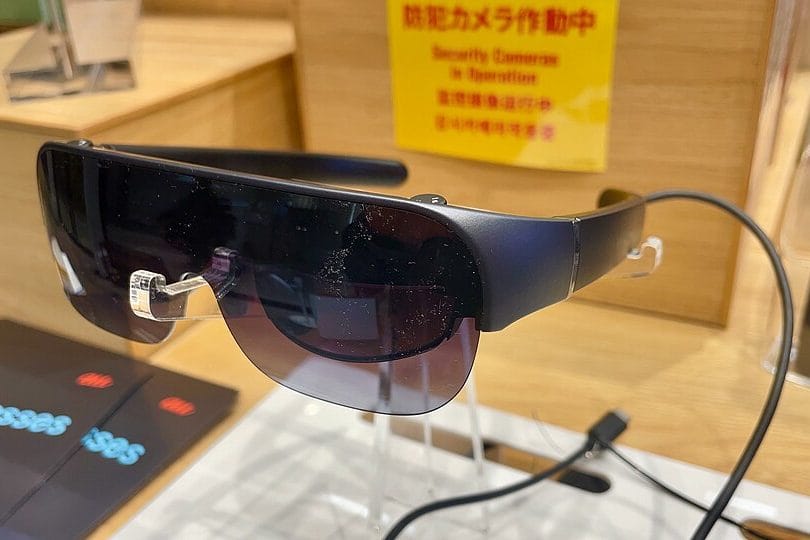
Three different pairs of glasses on the same shelf at Best Buy will now do three completely different jobs, and the sales rep behind the counter probably can't explain the difference in under thirty seconds. One pair takes photos. One pair is your actual prescription. One pair straps a 171-inch virtual screen to your face and costs more than most laptops. They all get lumped under "smart glasses," which is exactly why so many people end up buying the wrong one and shelving it in a drawer within a month.
The category finally has enough real products on shelves to sort into three honest buckets: camera-and-AI glasses, prescription smart glasses, and true AR display glasses. Each does one job well and the other two badly. Figuring out which bucket matches how you'd actually use the thing matters more than any spec sheet.
Camera and AI Glasses: Ray-Ban Meta, and Not Much Else Worth Considering
The Ray-Ban Meta line (currently on its second generation) is the one most people picture when they hear "smart glasses," and for good reason — Meta sold roughly 7 million pairs in 2025, nearly triple the year before, and now controls something like 76% of the global smart glasses market. The base Gen 2 model runs $379, has no display at all, and does exactly three things: takes photos and video from a first-person angle, plays audio through open-ear speakers built into the arms, and answers questions through Meta AI when you say "Hey Meta."
That's the whole pitch, and it's a narrower one than it sounds. If you're the person who films your kid's soccer games on a phone held awkwardly overhead, or you want hands-free audio on a run without earbuds falling out, the Gen 2 genuinely delivers. Battery life gets you through a normal day of intermittent use, not a full workday of constant recording — Meta doesn't publish an exact number for continuous video capture, and in practice heavy video use drains them by early afternoon. The open-ear speakers are also not private the way earbuds are; anyone standing close enough at a coffee shop can hear whatever you're listening to, which catches first-time buyers off guard more often than the marketing photos let on. Sunglasses versions and clear-lens versions both exist at the same $379, so that part at least isn't a hidden upsell. Buy these if you want a camera you're not holding and audio you're not plugging into your ears; skip them if you were hoping for any kind of screen or navigation overlay, because there isn't one.
Prescription Smart Glasses: The Line Meta Only Recently Actually Fixed
For years the tradeoff was blunt: get the smart features or get your actual prescription, not both. Meta closed that gap properly in early 2026 with the Ray-Ban Meta Optics line, starting at $499, followed in April by two more prescription-focused styles, the Blayzer and Scriber Optics, which went on sale April 14 through optical retailers rather than just Ray-Ban stores. These support nearly the full range of standard prescriptions and add small hardware details non-prescription wearers won't care about, like adjustable nose pads and hinges built to handle the extra weight of a shaped lens.
If you already wear glasses every day, this is the version worth the extra $120 over the base Gen 2. Buying the camera-only Gen 2 and then having an optician fit prescription inserts is the wrong move here — it adds cost, adds a second point of failure, and the fit is never as clean as a frame built around the prescription from the start. Go straight to the Optics line if daily prescription wear applies to you; there's no scenario where the workaround comes out ahead.
True AR Display Glasses: A Screen You Wear, Not a Camera You Wear
This is the category that actually confuses buyers, because it looks like the same product from across a store but does something entirely different. Xreal's lineup — the $399–449 Xreal One and the $599 Xreal One Pro — tethers to a phone, laptop, or handheld console over USB-C and projects a private virtual screen that Xreal advertises at 135 to 171 inches depending on the model, running at up to 120Hz on a Micro-OLED panel. There's no camera, no built-in speaker system worth mentioning, and no AI assistant. What you're paying for is a giant display that only you can see, useful for watching something on a plane without craning over a seatback tray, or extending a laptop screen in a hotel room that has nowhere good to put a second monitor.
Living with a pair for a few weeks exposes the tradeoffs the demo booth doesn't show you. Outdoors, direct sunlight washes out the display badly enough that Xreal ships a magnetic shade attachment for exactly this reason, and even with it, bright afternoons are a bad time to use one. They pull power from whatever they're plugged into rather than running on their own battery, so a phone feeding one for a two-hour flight will land with noticeably less charge than it took off with. Wearers who already need prescription glasses can add Xreal's clip-in prescription inserts, but that's another $60–90 and one more part to lose in a laptop bag. None of that makes the category not worth it — watching a movie on what feels like a 135-inch screen from an economy middle seat is a genuinely different experience than squinting at a 7-inch tray-table screen — but it's a device you plan around, not one you forget you're wearing.
Where the ROG Xreal R1 Changes the Math
Asus and Xreal's joint release, the ROG Xreal R1, pushed the category further and the price up with it — $849 for the glasses plus a required Control Dock, preordered as of May 2026 with shipping expected in September. The specs are genuinely upgraded: a 240Hz refresh rate against the One Pro's 120Hz, a 0.01ms response time, 700-nit brightness, and a 171-inch virtual display Asus claims covers 95% of your focused field of vision. It's built explicitly to pair with the ROG Ally handheld and the ROG Xbox Ally X, aimed squarely at people who want a big, fast gaming screen without a TV.
Here's the catch worth sitting with before ordering one: as of the preorder launch, not a single independent review existed. Every performance number on that spec sheet is self-reported by Asus and Xreal, and $849 is a steep bet to place on numbers nobody outside the companies has verified yet. Unless you're a competitive handheld gamer who genuinely needs 240Hz today, waiting three to six months for real reviews — and likely a first price drop — costs you nothing but patience.
So Which One Should You Actually Buy?
Match the category to the actual habit, not the hype. Someone who wants to capture moments hands-free and doesn't wear prescription lenses should get the $379 Ray-Ban Meta Gen 2 and stop there — the Display model's $799 in-lens screen is genuinely impressive tech, but it's solving a problem (glanceable notifications and turn-by-turn directions in your field of view) that most people don't actually have day to day.
- Daily glasses wearer who wants camera and AI features: Ray-Ban Meta Optics or Blayzer/Scriber, from $499
- No prescription, just want hands-free photo/video and audio: Ray-Ban Meta Gen 2, $379
- Want a giant private screen for travel or a second monitor on the road: Xreal One, $399–449
- Serious about picture quality and don't mind paying for it: Xreal One Pro, $599
- Handheld gamer chasing the highest refresh rate available, comfortable being an early adopter, and okay waiting until September for delivery anyway
Notice that last one isn't phrased like the others. The ROG Xreal R1 only makes sense for a genuinely narrow slice of buyers, and if you're reading a spec sheet trying to talk yourself into it, that's usually a sign you're not actually in that slice.
The mistake to avoid is treating any of these as interchangeable with a smartphone. None of them replace a phone's screen, storage, or cellular connection — the display glasses need a phone, laptop, or console feeding them a signal, and the camera glasses still hand off photos to a phone app to actually do anything with them. What you're buying, in every case, is an accessory that removes one specific piece of friction from one specific habit. Buy for the habit you actually have, not the one you imagine you'll build once the hardware arrives.