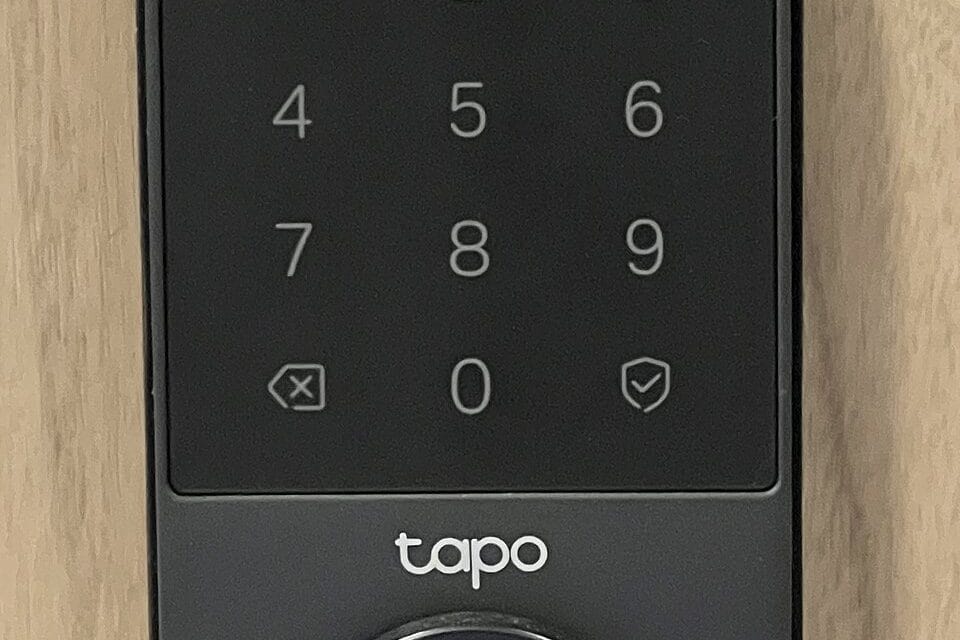
Your deadbolt has worked fine for fifteen years. Then a neighbor mentions they haven't carried a house key since spring, and suddenly you're standing in the hardware aisle at Home Depot staring at a wall of lock boxes with fingerprint icons and Wi-Fi logos, trying to figure out if you actually need one or if you're about to spend $250 solving a problem you didn't have. The honest answer depends on what kind of smart lock you're looking at, because "smart lock" now covers three genuinely different products, and confusing them is how people end up disappointed.
Three products wearing one name
A keypad-only lock, like the base Kwikset Halo Touch ($179), replaces your whole deadbolt with one that opens by fingerprint or code and talks to your phone over Wi-Fi. A retrofit lock, like the Level Lock+ ($329) or the original August Wi-Fi Smart Lock ($129), clips onto the inside of your existing deadbolt and turns the same physical key cylinder using a small motor — from the street, your door looks completely untouched. And a full smart deadbolt with its own keypad and Bluetooth/Wi-Fi radio, like the Schlage Encode Plus ($329) or Yale Assure Lock 2 ($179–$279 depending on the connectivity module), sits somewhere in between: new hardware, but designed to look close to a standard deadbolt from outside.
These solve different problems. If you rent and your landlord won't let you swap the exterior lock, a retrofit model is the only category that works — Level's whole pitch is that a locksmith couldn't tell it's there. If you own the place and want keyless entry for kids or dog walkers, a keypad model like the Encode Plus or Halo Touch is simpler to manage day to day, because codes are easier to hand out and revoke than spare keys ever were.
What these actually cost right now
Street prices as of this summer: Schlage Encode Plus runs $329–$379 depending on finish, and it's the one to buy if you already have a Ring or SmartThings setup — Schlage's Wi-Fi radio is built in, no hub or bridge required. Yale Assure Lock 2 starts at $179 for the keypad-only version, but the Wi-Fi module is a separate $80 add-on, which catches a lot of buyers off guard at checkout. Level Lock+ is $329 and the only one on this list that keeps your existing exterior hardware, which matters more than the price to a lot of renters. Aqara's Smart Lock U200 ($199) is the newest of the group and the first mainstream lock built around Matter from the start, which means it talks directly to Apple Home, Google Home, and Alexa without a separate skill or app bridging the gap. Kwikset's Halo Touch ($179–$199) is the budget pick and the one most likely to already be sitting on a Home Depot end cap. None of these are cheap next to a $40 Kwikset SmartKey deadbolt from the same store, and that gap is the real question every buyer should sit with before adding one to the cart.
The battery question nobody answers honestly
Every one of these locks runs on batteries, and every manufacturer quotes "up to a year," which is true only if you almost never open the door. Real-world use on a front door that gets opened ten or more times a day — the Yale Assure 2's own support forums are full of this — tends to land closer to four to six months before the low-battery chime starts. Aqara's U200 does noticeably better because it uses a fingerprint sensor as the primary unlock method rather than a motor turning constantly; motorized retrofit locks like Level drain faster since the motor does mechanical work on every single unlock, not just electronic verification.
Buy AA lithium batteries, not alkaline, for any of these. Lithium holds voltage in the cold far better, and a lock that dies at 15°F on your porch in January is a much worse day than one that dies on a mild afternoon.
What happens when the power actually goes out
This is the part that decides whether a smart lock is worth it, and it's also the part most reviews skip past.
Every lock in this category keeps a physical backup: a key cylinder on the keypad models, or your original key still working on the retrofit ones, since Level and August simply spin the existing tumbler. Wi-Fi going down doesn't lock you out — the lock still opens by keypad code or fingerprint using its own onboard battery, completely independent of your home network. The only feature that actually dies with the internet is remote unlock from your phone, which matters if you were planning to let a delivery driver in from your desk at work. What actually strands people is a dead lock battery combined with a lost backup key, which happens more often than the marketing photos suggest, because most owners stop carrying a physical key within a few weeks of setup. Keep one hidden somewhere that isn't under the doormat, or keep one with a trusted neighbor — not because the technology is unreliable, but because the whole point of the product quietly erodes the habit that would save you if it ever failed.
Installation: mostly a Saturday-afternoon job, with one catch
Keypad and full-replacement models like the Encode Plus, Halo Touch, and Assure Lock 2 install the same way a standard deadbolt does — unscrew the old one, screw in the new one, twenty to thirty minutes with a Phillips screwdriver. Retrofit models like Level are actually faster, since you're not touching the exterior hardware at all, just the interior mounting plate.
The catch is door and frame fit, not the lock itself. Older homes with non-standard backset distances (the space between the edge of the door and the center of the hole) or thick doors over 2 inches can be a problem, and Schlage's own spec sheet caps the Encode Plus at a 2 1/4-inch door thickness — thicker than that and you're looking at an extension kit or a different lock entirely. Measure before you buy. Returning a $329 lock because it doesn't fit your 100-year-old door is an annoying errand nobody needs.
Who should skip this entirely
If your front door already has a working deadbolt and the only thing motivating the purchase is that a smart lock seems like the modern thing to own, skip it — a $40 SmartKey deadbolt and a hidden spare key solve the actual problem of getting locked out for a fraction of the cost. Buy a keypad or retrofit lock when there's a real logistics problem to solve: a dog walker who needs access three days a week, kids who lose keys, a short-term rental you manage remotely, or an elderly parent whose door you want to be able to unlock from your phone during an emergency.
For renters specifically, Level Lock+ is the better choice over any keypad-replacement model — it's the only one of these five that doesn't require touching the exterior hardware your landlord technically owns, and it comes back off just as cleanly as it went on. For homeowners who already run Apple Home or Google Home and want the cleanest long-term bet, Aqara's U200 is worth the extra research over the more established Schlage and Yale names, precisely because it's Matter-native rather than Matter-compatible through a firmware patch — that difference tends to matter more two years after purchase than on the day you unbox it.