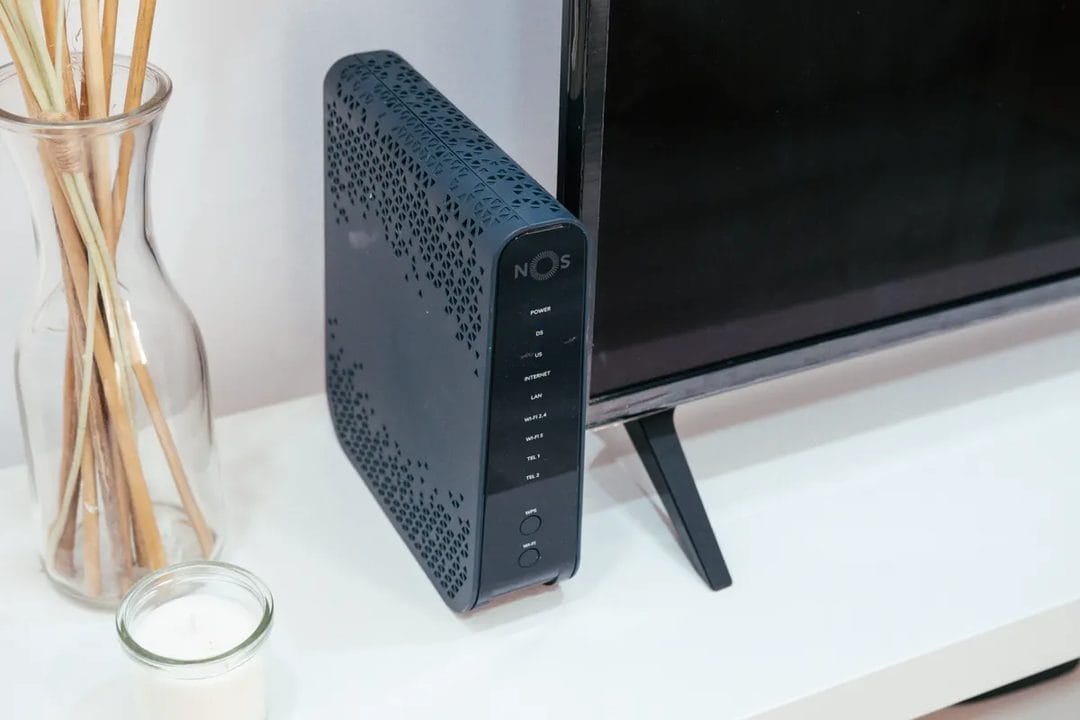
Your internet plan tops out at 500 Mbps, but your living room still buffers during a Saturday-night stream while someone else in the house is stuck on a laggy video call. That's rarely a bandwidth problem — it's a router problem, and after two years of half-baked early releases, Wi-Fi 7 gear in 2026 is finally mature enough to be worth talking about instead of skipping.
What Wi-Fi 7 Actually Changes
The headline spec is Multi-Link Operation, or MLO, which lets a single device talk to the router over two bands at once instead of picking one and sticking with it. In practice that means your laptop can pull data over both the 5GHz and 6GHz bands simultaneously, so if one band gets crowded — say a neighbor's network bleeding into 5GHz — traffic shifts to the other without the connection dropping or even visibly stuttering. Combine that with 320MHz-wide channels on the 6GHz band, double the width Wi-Fi 6E allowed, and you get real throughput gains on devices close enough to use them. Netgear's own lab tests on the Orbi 970 series showed peak local transfer speeds above 10 Gbps between two Wi-Fi 7 clients on the same network, though almost nobody will see numbers like that outside a same-room file transfer. The 6GHz band pays for that extra bandwidth with range — it doesn't punch through thick plaster or brick the way 2.4GHz does, so a router in the basement still won't reach a bedroom two floors up no matter which standard it runs.
None of this touches your actual internet speed. If your ISP plan caps at 300 Mbps, Wi-Fi 7 will not make Netflix load faster — the bottleneck sits upstream of the router entirely. What it fixes is congestion and interference inside the house: fewer dropped frames during a Zoom call while a game console patches in the background, less lag when eight smart-home devices and three phones are all fighting for airtime at once. That's the actual pitch, and it's a narrower one than router marketing usually admits.
Which Devices Can Even Use It
Buying a Wi-Fi 7 router does nothing if nothing in the house speaks Wi-Fi 7. The list of client devices got meaningfully longer over the past year. iPhone 16 and 17 models ship with native Wi-Fi 7 radios, as do Samsung's Galaxy S24 Ultra and S25 series and Google's Pixel 9 Pro. On the laptop side, MacBook Pro and MacBook Air models built on the M4 chip support it, and most Windows laptops released since late 2025 with Intel's BE200 or Killer BE1750 wireless cards do too.
- Recent flagship phones (iPhone 16/17, Galaxy S24 Ultra and newer, Pixel 9 Pro)
- Laptops with M4 chips or Intel BE200-class Wi-Fi cards
- A growing but still small handful of smart TVs and gaming handhelds
- Almost nothing from before 2024, full stop
Your smart plugs, your video doorbell, your kid's older tablet — none of that cares about MLO. They'll connect fine over the older bands, and the router handles the mix without any configuration on your part. But if you're the only Wi-Fi 7 client in a house full of 2022-era devices, you're paying a premium mostly for headroom you won't use for another year or two, until the rest of the household's phones and laptops catch up on their own replacement cycles.
The Router Shortlist That's Actually Worth Considering
Skip the budget single-unit Wi-Fi 7 routers under $150. Most cut corners on the 6GHz radio or ship with underpowered processors that choke once more than a dozen devices connect, which defeats the entire point of buying tri-band hardware in the first place. The gear worth your money clusters in a fairly narrow range, and picking between them comes down to house size and how deep you already are in a particular ecosystem.
The TP-Link Deco BE85 mesh system, typically $600–$750 for a two-pack, is the one to buy for most houses. It covers a standard three-bedroom home without dead zones, the app setup takes under ten minutes, and TP-Link's mesh handoff between nodes is noticeably smoother than what Deco shipped even eighteen months ago. For single-router setups in smaller apartments, the ASUS RT-BE96U — usually $400–$500 — packs the same MLO and 320MHz support into one box with better port selection for anyone running a NAS or a wired gaming PC nearby.
eero's Max 7, priced around $600 per unit and sold mostly in two- or three-packs, is the one to buy if you're already inside the Amazon ecosystem and don't mind the subscription nag for advanced parental controls. Skip it if that nag actually bothers you — the core mesh performance is excellent, but eero gates features that TP-Link and Netgear include free. Netgear's Orbi 970 series sits at the top of the range, often $1,400 and up for a three-pack, and it's overkill for most households. Buy it only if you have a multi-gig internet plan of 2 Gbps or faster and want the router itself to stop being the bottleneck, because the Orbi 970 is one of the few consumer mesh systems with a 10-gigabit WAN port to match.
Mesh or Single Router?
Go mesh if your home is over 2,000 square feet or has more than one floor.
Anything smaller, and a single well-placed router usually covers it — mesh adds cost and another point of failure without a real coverage benefit. Central placement matters more than the router's price tag; a $700 mesh system stuck in a basement corner will underperform a $250 single router sitting in the living room where people actually use their devices most of the day.
When Upgrading Doesn't Make Sense
Here's the part router reviews tend to skip: if your current setup is Wi-Fi 6 or 6E hardware bought within the last two years and your household has fewer than three Wi-Fi 7-capable devices, there's no rush. Wi-Fi 6E already delivers the 6GHz band and plenty of the congestion relief that makes the biggest day-to-day difference; MLO is the genuinely new part, and its benefit scales directly with how many Wi-Fi 7 clients you actually own. A household with one new iPhone and everything else older is not going to notice much of anything after the switch.
The calculus changes once you're replacing router hardware anyway — old firmware stops getting security updates, a unit starts randomly dropping connections, or you're moving into a bigger place. At that point, buying Wi-Fi 6E instead of Wi-Fi 7 to save $100 rarely makes sense anymore, since the price gap between the two standards has mostly closed and Wi-Fi 7 hardware will simply last longer before it becomes the thing holding your network back. And unlike the jump from Wi-Fi 5 to Wi-Fi 6, this one won't feel dramatic on day one — the difference shows up gradually, as more of your devices get replaced and start actually using MLO.
What to Actually Do About It
Check how many Wi-Fi 7 devices are already in your house before you spend anything. If it's one phone, wait. If it's three or more, or you're buying router hardware for other reasons anyway, the TP-Link Deco BE85 or the ASUS RT-BE96U cover the vast majority of homes without the Orbi 970's multi-gig price tag attached to a plan that doesn't need it.