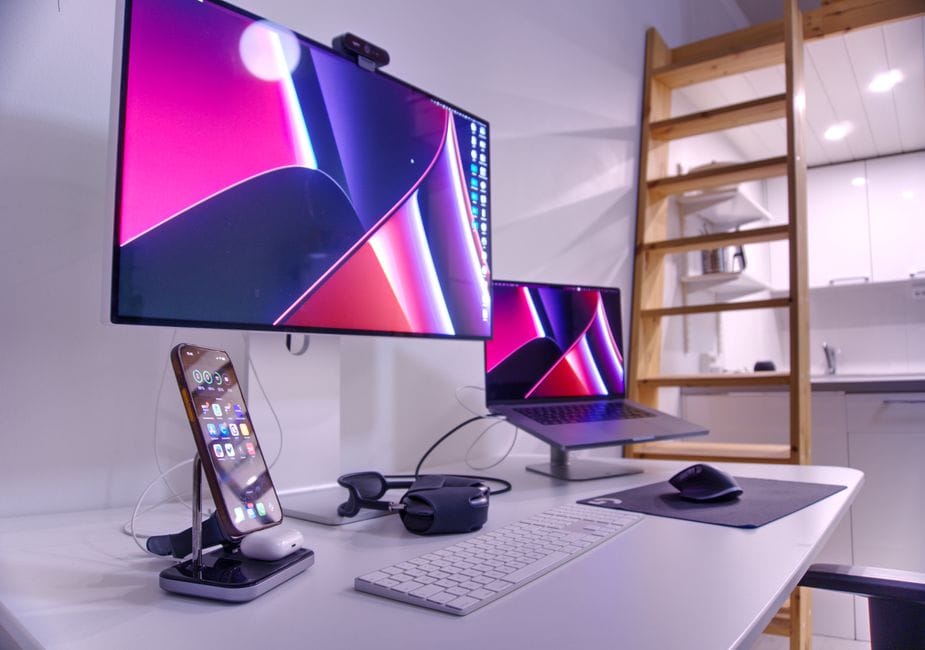
If you spend hours working on a laptop and feel cramped, the fix isn't a faster computer. It's more screen. Adding an external monitor to a laptop is one of the most underrated, high-impact, low-cost upgrades around, and most people who try it wonder how they managed without it.
Why more screen beats more power
A laptop's small display forces you to constantly switch between windows, hunting for the document, the browser, the email. An external monitor lets you spread out: notes on one screen, your main work on the other. The time and mental energy you save adds up fast across a workday.
What you need
- A monitor: Even a modest, affordable one transforms how you work.
- The right cable: Most modern laptops output video over USB-C or HDMI; check which ports you have.
- A stand or riser: Optional, but raising the screen to eye level is kinder to your neck.
The setup is simpler than you fear
Connecting a monitor is usually as easy as plugging in the cable. Your laptop detects it and extends your desktop across both screens automatically. From there you can drag windows between them and arrange things however you like in your display settings.
A worthwhile bonus: ergonomics
Working hunched over a low laptop screen is hard on your neck and back. Pairing an external monitor at eye level with a separate keyboard and mouse lets you sit up straight. Your posture improves along with your productivity, which makes the modest cost even easier to justify.
The takeaway
Before you assume you need a new, faster machine, try giving your current one more room to work. A second screen is cheap, easy to set up, and genuinely changes how much you can get done, all without touching the computer's internals.