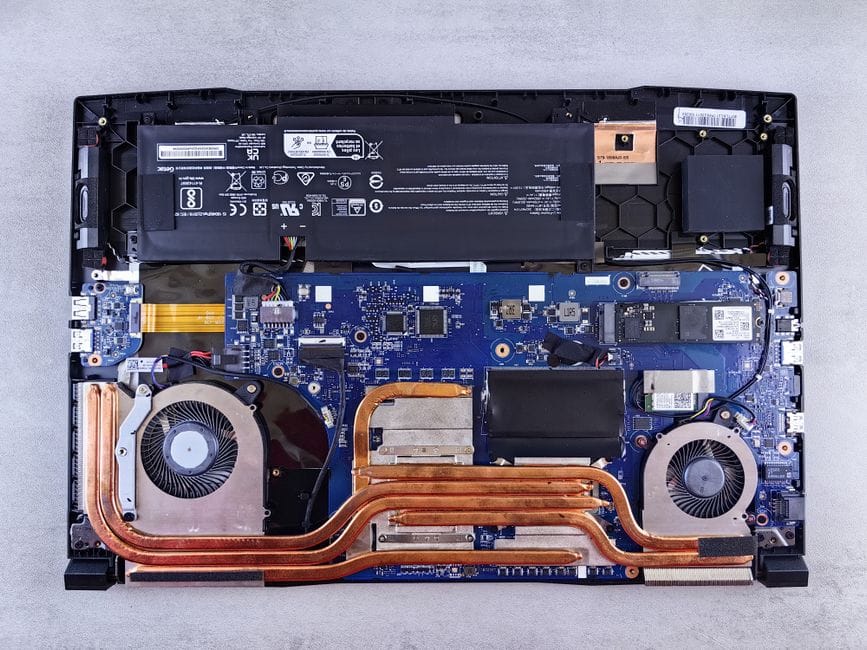
If your laptop sounds like it's about to take off and the bottom gets uncomfortably warm, it's not necessarily dying. More often, it's just clogged. Dust builds up inside over months and years, and clearing it out can bring an old machine back to life, often without spending a dime.
Why laptops get hot and loud
Inside your laptop, small fans pull cool air across hot components and push the warm air out through vents. Over time, dust and pet hair collect on those vents and the metal fins behind them. When airflow gets blocked, the fans spin faster and louder trying to keep up, and the laptop heats up anyway.
The free fixes to try first
- Check the vents: Look for dust clogging the intake and exhaust openings.
- Use it on a hard surface: Beds and couches block the vents underneath.
- Close runaway apps: A stuck program can pin the processor and crank the fans.
- Raise the back: Even a couple of bottle caps under the rear improves airflow.
Cleaning it out
A can of compressed air aimed at the vents can blow out a surprising amount of dust. Do it in short bursts and hold the fan still if you can, so you don't spin it too hard. This small step alone fixes a lot of noise complaints.
When it's something more
If cleaning doesn't help, the heat paste inside may have dried out. That's a job for a repair shop, but it's still cheaper than a new laptop.
The takeaway
Before you blame old hardware, clear the dust and free the vents. A quiet, cool laptop is often just a cleaning away.